

On SmartCustomer, businesses may not offer incentives or pay to remove reviews. Learn more about our Review Guidelines.

Punchbowl Reviews Summary
Punchbowl has a rating of 3.8 stars from 881 reviews, indicating that most customers are generally satisfied with their purchases. Reviewers satisfied with Punchbowl most frequently mention birthday party, guest list and customer service. Punchbowl ranks 1st among Event Planning sites.
We monitor reviews for authenticity

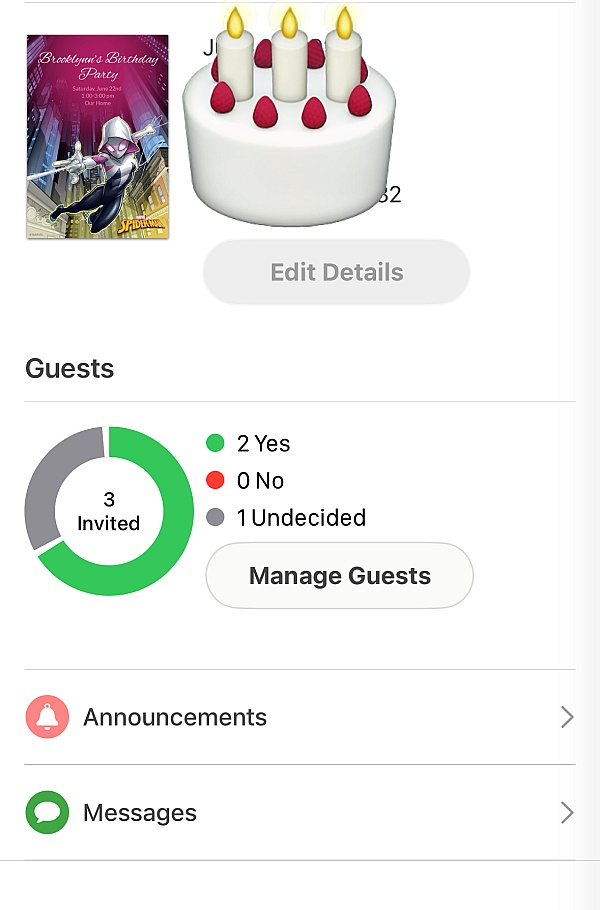
Very simple to use! I love seeing who will be coming and people that will not. Been using it for 3 years already. Love all the invitations options.
This was amazing. Sent invites for my 1st hosted SB party. Everyone received and responsed either + or - but I was able to planned accordingly. Thank you Punchbowl wish you were around when I got married... lol
Its was a great place prepare your party invites very user friendly interface and great customer service
It had nice designs templates for free of cost
Punchbowl has a large variety of card options for any occasion. Love that you can send reminders, arrange date and time to send and set-up a Potluck (for parties).
I use Punchbowl for all my party invites and electronic birthday or anniversary cards.
Enjoyed this free of charge, friendly user app to assist in planning my event. Stress and hassle free. Easy to maintain my guest list. I received positive feedback regarding invites. My family & friends signed up for this app, as well.
All of my events have been tracked and disseminated with such ease. By far my best experience with e-cards thus far!

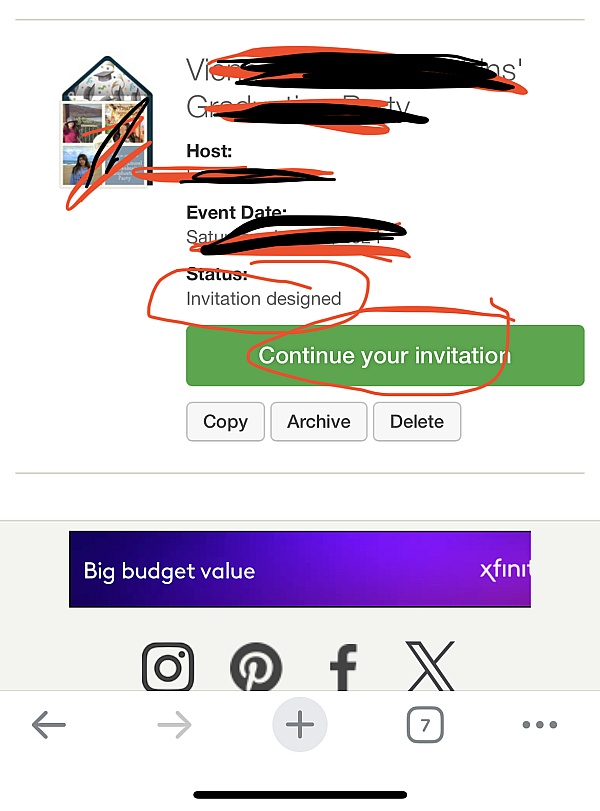
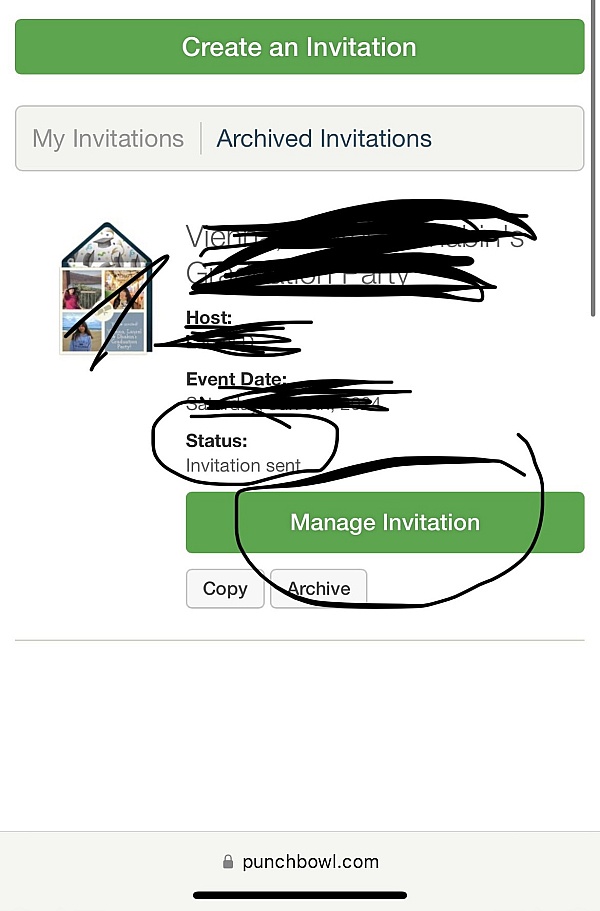
It worked beautifully... from the creation, to emailing the
Invitees, sending the reminder as well as maintaining a very
Useful list which showed who did not open the message, to
Who opened but did not respond to tracking the yes and no's.
Punchbowl is easy to use. It also covers every aspect of your party from invitations to decorations to thank yous. My favorite part is the potluck list. You can let people know exactly what you need! Plus they have really cute invitations.
I really enjoyed using Punchbowl for my son's birthday. It
Is very user friendly and my guest were able to follow
Through the invite with ease. Mostly everyone RSVP through
The E-Vite which was helpful for logistics. I would totally
Recommended to friends and family.
Super likely to reccomend it was so easy to communicate with my guests
And easy to send thank you cards. I even got 20% at party
City! I will definitely recommend punchbowl and not to
Mention i already have
I made a baby shower for my nephew and his wife and the app was very helpful! Loved it
This is the second year in a row that I have used punchbowl to send out birthday invites the thank you notes for my grandsons birthday parties, it's free, easy to use and so convenient, I love it and have recommended it to several family members

Absolutely love punchbowl! It makes party planning sooo easy and convenient! Even allows you to send thank you cards to your guests after the party! They have so many varieties of cards and all are able to be customized! Will use for all my future events! Best part is that it's free, you don't have to spend time going to the store, finding an invite to match your party theme--thenn having to find everyones address BUY stamps and mail. THIS IS AMAZINGG!
I just used Punchbowl for invitations for my daughter's 21st birthday. It was easy to use and there were quite a few invitation options. RSVP went right to my email. I would use again.
This app is the app to use for professional or personal use!
So easy to use, you can edit the list, and it reminds you of anything you forgot!
Love the fact that you can reach out to people (send birthday invites, in my case) using phone numbers, email, and any other social media, yet, I can regulate all of it from the most convenient place to me (mobile app).
From the business
Punchbowl makes it easy to create and send beautiful, free online invitations and digital greeting cards from your phone, tablet or desktop.



See reviews as you browse!
Get the Chrome Extension.
Add Extension
- SmartCustomer’s sole mission is to increase online transparency for buyers and businesses
- SmartCustomer has helped over 200M buyers make better purchasing decisions online
- Suspicious reviews are flagged by our algorithms, moderators, and community members




- SmartCustomer’s sole mission is to increase online transparency for buyers and businesses
- SmartCustomer has helped over 200M buyers make better purchasing decisions online
- Suspicious reviews are flagged by our algorithms, moderators, and community members