

On SmartCustomer, businesses may not offer incentives or pay to remove reviews. Learn more about our Review Guidelines.

Punchbowl Reviews Summary
Punchbowl has a rating of 3.8 stars from 881 reviews, indicating that most customers are generally satisfied with their purchases. Reviewers satisfied with Punchbowl most frequently mention birthday party, guest list and customer service. Punchbowl ranks 1st among Event Planning sites.
We monitor reviews for authenticity

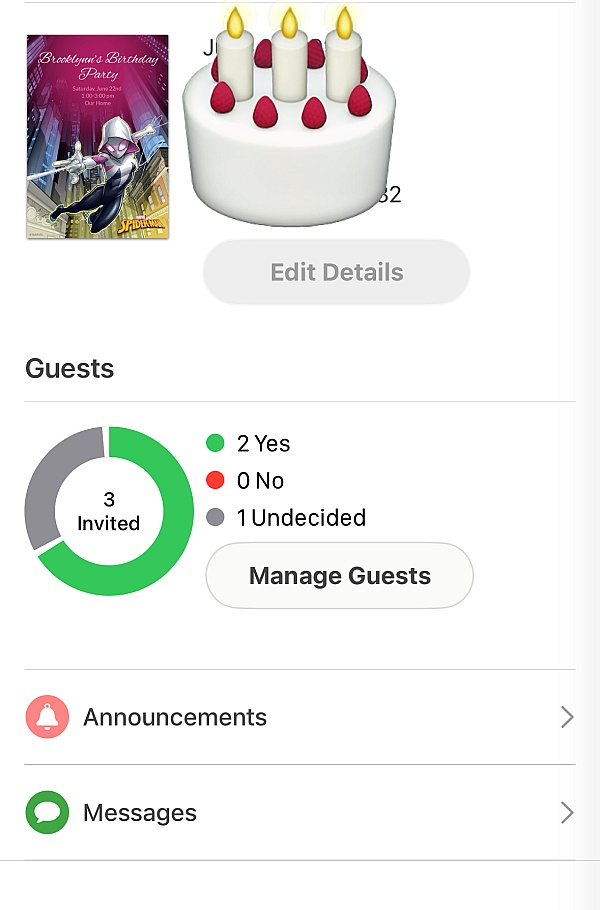
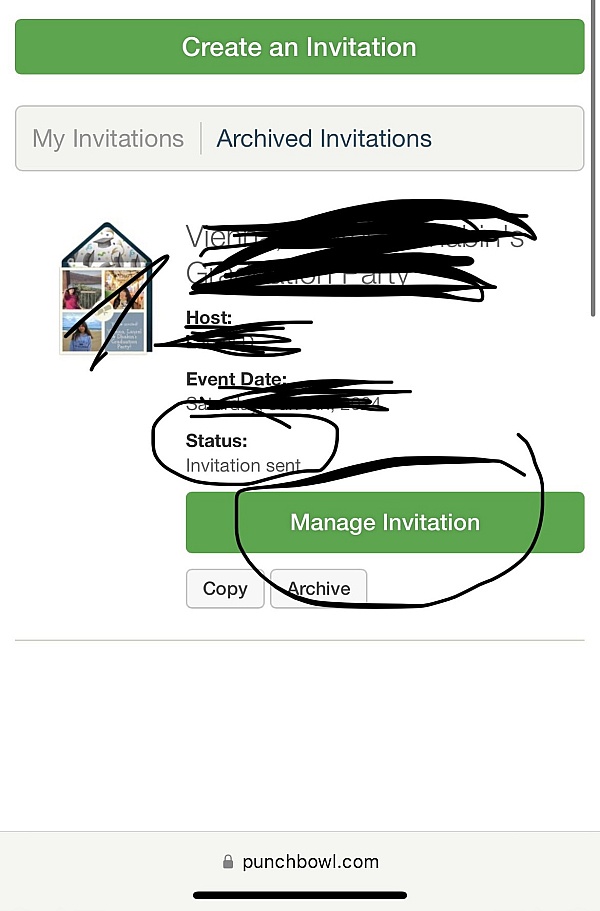
I really appreciated the service received from Punchbowl. It took the headache out of the process for keeping up with the invites for my son's birthday. The process is simple, the invitations were easy to create with lots of choices. I was able to see who RSVP'd and even auto set up the reminders. My guests really loved the invites as well.
Love this FREE site! Makes sending my kids birthday invitations so easy and quick with RSVPs all in one place. I was even able to send thank yous after. Saved me so much time and money and there was a large selection of e-cards to choose from. Excellent app, thanks!
Punchbowl is amazing and very Efficient it allows you to plan your event within minutes. I love it and plan on planning all my events through this app!
In order to offload my requests for help, to format and send on-line invitations, my son set me up on Punchbowl. I'm old, computers are impossible, and my kids are sick of my pleas for assistance. Punchbowl was easy to use, even for me. That's the first thing I loved. The second was that, for the above list of reasons, I missed the 'cancel by' deadline by a few hours. The instant I sent Punchbowl a request for a refund, they responded. These people could give a master class in customer service. Thank you.
Punchbowl is by far the easiest and most convenient e-vite platform I've ever used. It's perfect for beginners and experts alike. The designs they offer are amazing and there are so many to choose from. The features you get when sending out an invite are also crazy awesome. Really enjoy using this and would recommend to anyone looking for an e-vite service!
Easy to use, fun to create and worked well! Was a perfect way to communicate with a large group.
I love how punchbowl can remind invitees before the event so I don't have to remember to do so. I also like how they can separate children from adults and respond as a family. It makes the headcount so much easier to tally.
I love how easy and convenient Punchbowl is. It is my go-to app for invites!
My daughter had her first party at Chucky Cheese. Thank God for these invitations. I picked unicorn to go with the party theme. My daughter loved them. Took me 10 minutes to create and send them. Everyone RSVP'ed. They were so easy. Love it! Thanks, Punchbowl.
Had my husbands 55 Birthday Party and this app is easy to use and easy to update invitations!
Wonderful user friendly experience. Punchbowl was very user friendly without needing a lot of computer skills. Also, the best choice when time is of the essence.
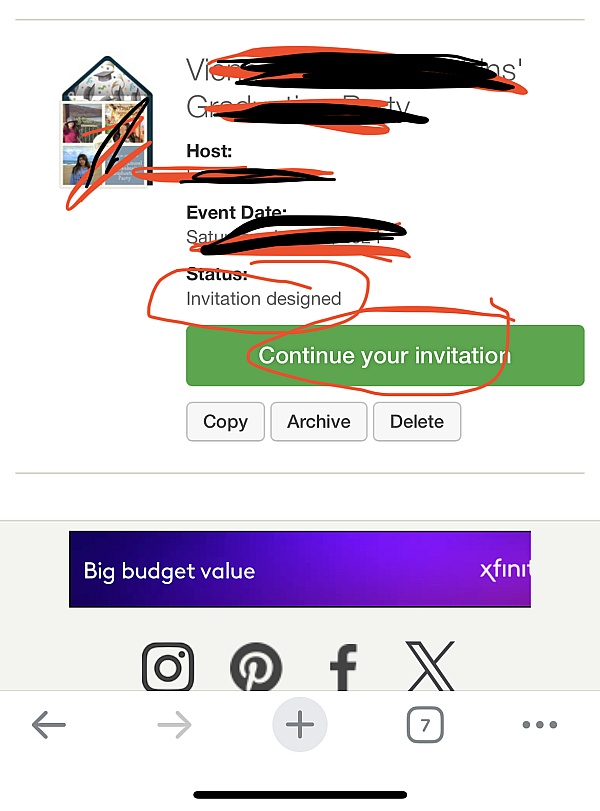
I opened the app which is very user friendly and saw all the designs and picked what I liked. Step by step it let me do everything I needed to do. People were asking me did I do the invitations. Really great app... I can't say that enough.
I didn't have any issues or delays getting set up to use this service. There are plenty of designs in their selection. I recommend downloading and using the app! Super simple to use and nice little editing features too.
It was easy going experience to download the app and become user friendly with. Not complicated at all. My friends really thought the invitations were cool, saving the trees, Yay! Green friendly! Yes, somim happy with the communication too. It send me an email to know for certain my invites were sent out as well as if and when a person responds too. I was able to find the theme my daughter liked for her party as well.
When I first planned my daughters' party I was considering doing her invitation through etsy.com, but it was extremely difficult to navigate. I started planing with Chuck E. Cheese and once I did my deposit I was offered free birthday e-vites from Punchbowl. I was able to find the theme she liked, caption the way I want it and more all for no extra charge at all. They also put everyone in a group so it's easy to view who can and can not attend. Very easy to navigate as well.
There is lots of options to choose from, lots of different formats and it was awesome how I could put pictures on the invite. Was also nice to have a thank you card option as well. Much easier and less time-consuming than traditional invites. Recommend it to anyone wanting to save time.
I love the text message feature because not everyone reads their emails so this was awesome! Everyone said this was a great way of sending invites and not worry about going to the store. Not to mention handwriting each one. Does anyone hand write anymore?!
I've used Punchbowl for the past three years to send birthday party invitations and have been very pleased. I've always found the graphics I wanted and this time, I was able to create a custom one with a photo. Sending invitations and tracking RSVPs is effortless. I highly recommend Punchbowl!
Using Punchbowl was so easy and made keeping track of RSVPs a breeze! After the party, I loved being able to send out electronic thank you notes to all of our guests!
From the business
Punchbowl makes it easy to create and send beautiful, free online invitations and digital greeting cards from your phone, tablet or desktop.


See reviews as you browse!
Get the Chrome Extension.
Add Extension
- SmartCustomer’s sole mission is to increase online transparency for buyers and businesses
- SmartCustomer has helped over 200M buyers make better purchasing decisions online
- Suspicious reviews are flagged by our algorithms, moderators, and community members



- SmartCustomer’s sole mission is to increase online transparency for buyers and businesses
- SmartCustomer has helped over 200M buyers make better purchasing decisions online
- Suspicious reviews are flagged by our algorithms, moderators, and community members