
On SmartCustomer, businesses may not offer incentives or pay to remove reviews. Learn more about our Review Guidelines.

Kizoa Reviews Summary
Kizoa has a rating of 3.5 stars from 990 reviews, indicating that most customers are generally satisfied with their purchases. Reviewers satisfied with Kizoa most frequently mention customer service, slide show and good work. Kizoa ranks 1st among Photo Sharing sites.
We monitor reviews for authenticity

I think calling yourself an "Online Business" makes you sound formal when you are not.
I called a couple of times and wrote several questions by e-mail and ALL WERE ANSWERED FRIENDLY AND THE PERFECT ANSWER OR QUESTION. I admit it is like learning to play the piano but easy.
I do have a questrion, Respectfully. How do I do a voice over?

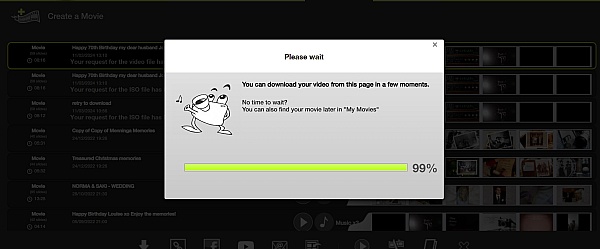
I spent countless hours working with my two little girls to make the perfect Mothers Day slideshow. We showed my wife on Mothers Day online, but planned to save it to a CD later (the site kept making the photos and music not line up properly, which was a bummer). Well, I finally got time to go burn it today, and I see they are going to try to charge me. In addition, it informed me that my songs I picked would cost as well. Ridiculous. At this point, I have to choose between paying for something that was supposed to be free and didn't tell me until the time and effort were into it, or letting down my kids and wife. Great...

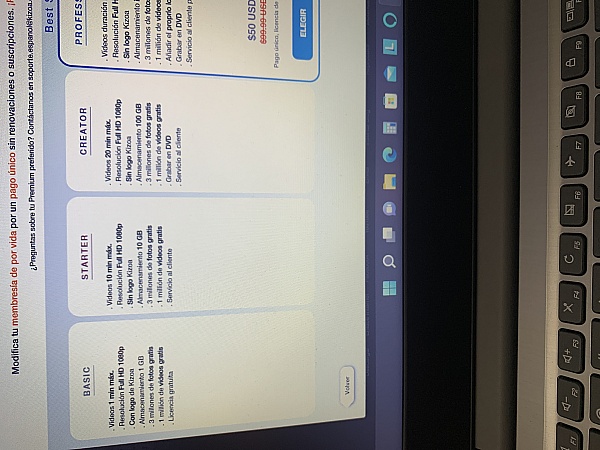
Hi Willie, sorry for the confusion of what features are Premium. I want you to be able to keep your slideshow so I've exceptionally had an MP4 version in Full HD converted to be sent to you by email. This may take a little while, but you should receive it today. In any case I do want to clear up what is free and what is Premium. The majority of Kizoa is free, you can create videos with no limit to the quantity of photos or clips. You can add as many songs as you want that we offer within the Kizoa music library, and lastly you'll be able to share this online for free by email, Facebook, Youtube, Twitter, embed onto a blog/website. The only features that are a part of our Premium memberships are the ability to use your own uploaded music, burning onto DVD, or downloading onto your computer. These features and our Premium membership are explained on both our website as well as the large orange button "Premium" in the top left corner of each Kizoa account. I hope this was helpful and let me know if you need anything else ;) [email protected]
This is an amazing site, don't get me wrong. But nowhere in the website does it tell you that you have to pay to use your own music... That is until you're completely done and finished with your slideshow. I was gonna use this as a one year anniversary gift for my girlfriend. I put almost two hours into my slideshow, just to find out at the end it wants me to pay. To me this is false advertisement. It even says on the front page "No registration required!" And list off all the stuff you can do. But only if you pay, and only if you waste hours of your time. It makes me feel like they want you to get attached to your slideshow and almost force you to pay for it. Which is a shame because I probably would've of bought it, if it just told me at the start I had to pay 40+ dollars. I'm just very sad that I can't share this with my girlfriend, especially since I worked so hard on it, and loved the way it looked. One star, and ve unsatisfied.
Hi Jerry, sorry for the confusion and inconvenience! I don't want you to miss out on sharing the slideshow you made with your girlfriend so I've requested for you to receive your slideshow in an MP4 video format in HD by email this one time. Just so you know, for now it is possible to share slideshows online for free if you replace your own music with any of the songs already available on Kizoa. We're actually considering removing the restriction on using your own music sometime in the future so this may no longer be a Premium feature, but something that's free to use. It's still under consideration and hopefully in the meantime you can enjoy your slideshow :)
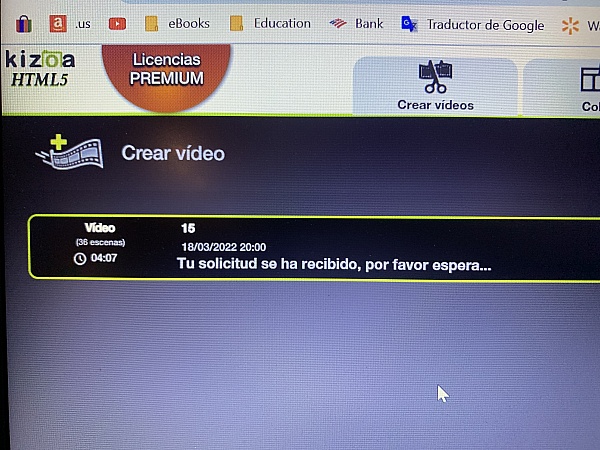
FIRST THE WEBSITE STATES ITS FREE. AFTER YOU CREATE YOUR SLIDESHOW IS WHEN THEY ASK YOU TO PAY IN ORDER TO SHARE YOUR SLIDESHOW. I PAID AND THEN IN ORDER TO SAVE YOUR SLIDESHOW TO YOUR COMPUTER YOU HAVE TO WAIT ON THE FORMAT. IT'S BEEN A MONTH AND I STILL HAVEN'T RECEIVED IT. PS. I PURCHASED THE LIFETIME MEMBERSHIP!
Hi Stacy, sorry to hear that you've been waiting so long! It's likely that their was an error during the conversion process to video format as this shouldn't take longer than a couple of hours. If you send me your Kizoa email address at [email protected] I can look into this for you and get it fixed asap.

I too liked how easy this website is to use. When I had finished making a slideshow for my daughter's 10th birthday and wanted to email it, there is a $60 fee. I have been contemplating paying this fee, but it seems a little steep.
Hi Sherri! The reason you may have gotten a pop-up to upgrade to Premium is because you've probably used your own music in your slideshow. If that's the case and you simply want to email you slideshow you can replace the music with any songs already available on Kizoa and you'll be able to do so for free ;) If you are interested in upgrading to the Premium DVD membership so that you can download your slideshow to your computer as is, with your own music, then we can offer you a complimentary 25% discount with the promo code FLASH25 which is available for a limited time.
I purchased the $40.00 package in order to get a link for the slideshow, and it didn't even work when I went to play it. I was really embarrassed and upset that I had worked really hard on a slideshow of my students for it to just not work.
Hi Erin, sorry to hear about the issues you experienced! Can you let me know your Kizoa email address and the title of the slideshow that didn't work by sending me an email at [email protected] so I can look into this and find a solution for you.
I called to get dome help with what I was doing when I realized I had to purchase it to use it after I had made it. I could not get anyone to answer. So I just had to try to do the best I could. The program itself was good and my Slideshow turned out great! I still have many questions about my membership but have not had time to call back yet!
Hi Robin, I'm sorry we missed your call! Feel free to call us anytime from Monday-Friday from 8am EST - 8pm EST at our toll free number (844)898-4402. I'd be more than happy to guide you through anything you want to know ;)
It worked good for what I was doing. I would have liked to see an option to edit the pictures and add pictures while working in the slideshow instead of having to edit and overwrite the picture that was there.
I would also have liked to have been able to move the pictures to the different folders instead of copying them to the different folders.
Hi Shella, thanks for your feedback. If you go within the MY IMAGES tab you'll be able to drag photos from one album to the other instead of having to upload them again.
I love the templates. The uploading, adding personal touches to screens is so easy. It was a fun experience to make my slide show. I love it and will continue to make fun slideshows. Thanks Kizoa.:-)
I was able to complete a really fun video to show at a work function. I am not a professional videographer by any stretch of the imagination but I was able to do something really special. I will use this tool again and again.
I absolutely love this, so many cool things to choose from!
Way more than I expected... truly enjoying creating my slideshow and with videos and totally surprised at the animated collages!
Worth every penny! A must...!
Kizoa is very easy to use, even for a beginner at making slide-shows. The selections of effects and transitions are really good and the HD finish is a joy to watch.
Working with this program was such a pleasure. I was working on something for my son's graduation party and could not have been happier. The program was easy to use and the options were great. Will be using for future projects.
When you load more than five photos on the slideshow it takes a long to load to the web page when you want to display the slideshow.
Hi CJ, it shouldn't be that slow to add photos to a slideshow or play it, especially if it is only 5 photos. We've seen slideshows with thousands of photos that play without a problem. If you like send me an email at [email protected] with the title of your slideshow so I can test it on my end and check for any bugs.
I created a movie, found many capabilities in the Kizoa tool, in some cases there was a bug - i wrote to the support - they claim it is not a bug - but it is.
Overall good experience.
Hi Amit, we're glad to hear you're overall happy with Kizoa! Can you let me know what your bug was? You can email me directly at [email protected]

I was very excited to use this program making a wonderful slideshow for my family after the loss of several family members. I spent a huge amount of time on this, downloading a song to play along and everything. I finally completed it tonight only to find out that in order to use my own song I would have to pay over $30. So I decided to use it without music, and I still am not allowed to download the video onto my own computer without paying $60! After all the work I have done I am extremely frustrated. It is a website that runs great, and I would have considered paying for it if it had not been advertised as a 'free' site, which it apparently was not. Very bad business!
Hi Emily, I apologize for the confusion of our Premium memberships. We try and detail the features of each membership both on our website and inside the application. In order to use your own music as well as download the slideshow to your computer you would indeed need the Premium DVD membership which is $64.99. If you had upgraded already to the WEB membership which is $39.99 you wouldn't need to pay the full price of both, you'd only pay the difference. I don't want you to miss out on your slideshow so I've gone ahead and sent you an MP4 file in Full HD of your slideshow so that you can save it to your computer. Let me know if I can do anything else for you! [email protected]
This sucks no one should try to use this website I tried to make a collage about my grandmas life since she has passed I worked on it for a 3 weeks with my family expecting something just to find out it would cost 130 dollars to make an 8 minute video and burn it to a DVD this website sucks
Hi Jacob, I'm very sorry for your loss. If you send me an email at [email protected] I'll work something out for you so you can download the video you worked so hard on. Just so you know, we do not set any limits to the amount of time a video lasts. The time limits you may have seen are actually refering to if you want to insert video clips within your slideshow then each of those video clips can last a certain amount of time, but overall you can add as many video clips as you want and your slideshow can last over an hour if you wanted it to. Again I apologize for the confusion and I'd be more than happy to get you your slideshow, just send me an email.
I've been looking for a program that allows multiple photos on one slide. Kizoa allows as many photos as I want. I've put anywhere from 1-12(or more) photos on a slide. This is great for making video slideshows for graduation or other events. It even allowed me to upload videos. The only thing that I wish Kizoa would allow was editing the music timeline. Right now the music plays but I can't edit exact timing to match the video. Overall, this is the best video program I've used and I've even upgraded to their one time premium costs because I liked it so much! I've received many compliments about my most recent slideshow, and told my coworkers about your site. Thank you, Kizoa!
From the business
Create videos, slideshows, collages, and edit photos from the convenience of a single platform with your own account. Combine your photos, videos, music, text, effects, and more for amazing results you can't find anywhere else.

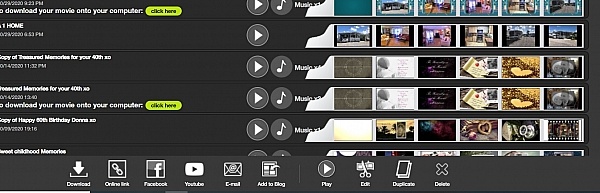

See reviews as you browse!
Get the Chrome Extension.
Add Extension
- SmartCustomer’s sole mission is to increase online transparency for buyers and businesses
- SmartCustomer has helped over 200M buyers make better purchasing decisions online
- Suspicious reviews are flagged by our algorithms, moderators, and community members
Similar businesses you may also like
See more Photo Sharing Businesses
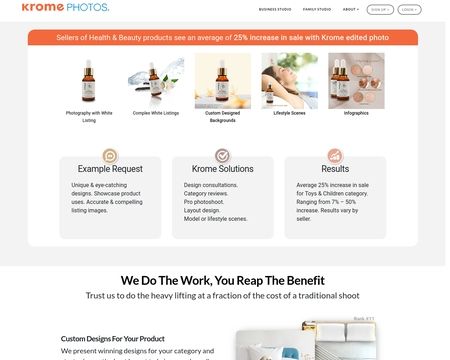



- SmartCustomer’s sole mission is to increase online transparency for buyers and businesses
- SmartCustomer has helped over 200M buyers make better purchasing decisions online
- Suspicious reviews are flagged by our algorithms, moderators, and community members
Hei Henrye! I'm happy to hear that you're happy with Kizoa and the help we've provided you with =) You can do a voiceover by first recording your voice on a recording device and then uploading the audio file to your computer in an audio format such as an MP3. From there you can upload your MP3 onto your Kizoa account and place it over your video. I hope this helps!