
On SmartCustomer, businesses may not offer incentives or pay to remove reviews. Learn more about our Review Guidelines.

Kizoa Reviews Summary
Kizoa has a rating of 3.5 stars from 990 reviews, indicating that most customers are generally satisfied with their purchases. Reviewers satisfied with Kizoa most frequently mention customer service, slide show and good work. Kizoa ranks 1st among Photo Sharing sites.
We monitor reviews for authenticity

I needed to learn something very specific but instead of giving me an answer I was told that the training module or something was coming. I needed that help pretty urgently but instead I had to stop working on that project altogether. It was disappointing.
Love love love this program! I've been using it for a week now, and I am sure there are so many things it is capable of doing I haven't found out yet. Easy to learn, fun to create!
I had a great experience with Kizoa - creating slide show was so easy... the samples were great and all the backgrounds were awesome. I gave Kizoa 5 stars.
Useful with home video... friendly commands and quality product.
I like that there are templates with automation, and find them easy to use the first time. I'm still learning about how to update a slideshow I built. I would like the option to select a template layout and allow me to chose its background design, image, color, etc
I look forward to completing my first slideshow!
Works pretty well. Would like to see the music blended better from 1 song to next. Also would like to see packaging added for DVDs.
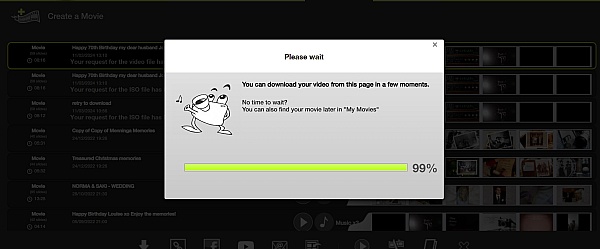
I made a slideshow using kizoa, I made it for my husband for our first wedding anniversary. I am disappointed because when im going to save the slideshow, there is a fee. I really like the features its just that i was not able to have a copy on my computer. Please help me. Thanks
I used the Kizoa program to create a video for my daughter's high school graduation party for family and friends. The program itself worked fine and I was quite satisfied with the results I had produced, especially since I'm not terribly "techie"! My disappointment came when I went to download my dvd, only to find what had been marketed as a "free" way to create a keepsake, cost me upwards of $65 when you want to download it in any capacity. Ok, still not the end of the world, so I paid and moved on given the extensive amount of time I had already spent on it. When I went to play it on the dvd, the pictures scrolled thru much more quickly than on the computer, causing it be about 8 minutes, when it was originally 12-15. The problem being it was difficult to focus on the pictures since many of the collages scrolled by without pausing as they did on the computer. I called customer service and spoke to Victor (I think-something that started with a V) and was treated incredibly rudely and basically was told that it was my problem and when he downloaded it, it worked fine. He would barely let me finish a sentence... never can I remember being treated like this. When I asked for a refund, he again told me it was my error and I would not receive a refund! Very disappointed with the way I was treated.

Hello Cathy, I am very sorry for the issues you went through. I would like to reassure you that we will issue you a refund if you wish and in general we never refuse refunds. I will make sure that our support team is up to date on our refund policy and I will investigate further into the conversation you had with Victor. As for your DVD if you like you can send me an email at [email protected] and let me know your Kizoa email address, and the title of the slideshow so I can figure out what's not working. Also, I will be able to issue you a refund once you let me know your Kizoa email address. I hope to get everything fixed for you as soon as possible and I again apologize for the experience you had.
I have never used any kind of video editing software before and so I was surprised to find Kizoa so easy to use. It was intuitive and provided many features that I wasn't aware of. I find the application is fun to use and produces professional videos suitable for our company website.
I love my Kizoa videos but have one small problem when I save it to my PC and try to play it back. Not a smooth experience.
Hi Riana, I can help you with the playing issue on your computer, can you send me an email at [email protected] with the title of your slideshow so I can run some tests and see what's going on?
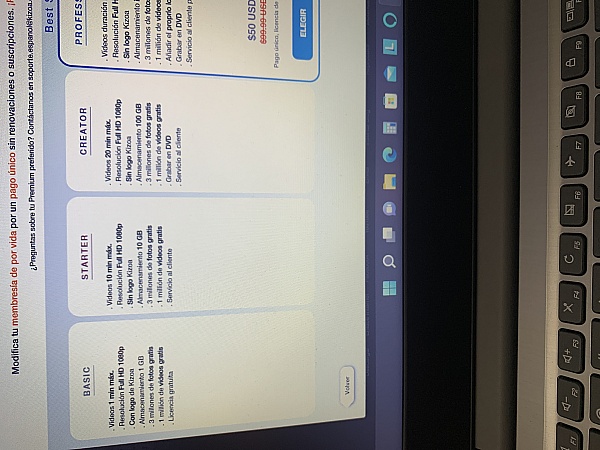
I started to make my slideshows and was very happy to have found the site at first. It had all the tools that I needed to make the slideshow in memory of my dogs passing. When I was finished with my work that I put incredible amount of time and detail. I could not share until I became a member and paid a fee. Not very happy about it, I paid in order to be able to use my slideshow. A few months later I created another slideshow and I made sure to stay by the limits of my membership and still they wanted to charge fees. Kizoa I would really like my money back. I'm not the kind of person to complain but I find it ridiculous to charge people to use their slideshow with out being clear on limitations due to fees. I would have to pay $90 dollars in order to use my recent slideshow. I dont think so...
Hi Andrea, sorry for the confusion! If you send me your email address you use for Kizoa at [email protected] I'll look into this for you and find a solution for you as quickly as possible ;)
Excellent, I wanted to create a video slideshow for my grandfather who passed away... This site helped me do complete justice to his life, thank you for this:-)... Words cannot express my gratitude towards you...

Kizoa has not changed much since I last used it three years ago. You need more special effects and transitions to bring it up to date. And I'm not at all happy with you posting your name all over the slide shows including on the title of the shows when I post them to YouTube. It's one thing to have your logo on each one but quite another to put your name before the title of each one... that's too much.
We'll keep your suggestions in mind! Over the past three years we have focused on launching new features to the platform such as bringing Full HD to Kizoa, the ability to configure loops, a more precise music synchronization feature, and much more. We're actually coming out with some new text effects this week so keep an eye out for those ;) Also, if you have a Premium membership you can actually choose to remove all Kizoa logos from your slideshow, even when posting to Youtube.
I've created a number of slideshows, collages with the end result downloading them as videos. It really is so easy and I love the fact that I can access my profile via the web. Keep up the good work Kizoa!
While I loved all the wonderful options that Kizoa offers, I was disappointed that I could not share my project in the free version because I used my own music. I wish I had known that up front. Also, I was disappointed that I couldn't change the template once I started to add photos. If it's possible to do that, I couldn't figure out how. But everything else was great!
Hi Tracey! With the free version you can use as many songs as you like, so long as it is music from the Kizoa library. We are actually considering removing this option in the near future so that the use of your own music is included in the free membership. Also, you can change the template of a slideshow by using the TEMPLATE button at the end of the film strip while you're inside the Slideshow Maker tab.
Overall easy to use. Love the templates and there are lots of great choices. Had some difficulties with the music but overall highly recommend. Very reasonably priced.
I use Kizoa the least of my photo editing options that I turn to for my blogs. I don't find it to be as user-friendly as it could be.
My "go to" is ribbet.com... it is super user friendly with tons of options for things to do.
I just find Kizoa to be incredibly confusing and it doesn't have the features that I need (or if it does, it isn't user-friendly enough to find them and apply them.)
Hi Caren, sorry to hear that you're having a hard time using Kizoa. Just so you know our support team is always more than happy to guide you through anything you want to know. Simply give us a call at (844)898-4402 and we'll walk you through step by step. Also, we have an entire tutorial playlist on our Youtube channel where we upload new tutorials every week. If there is anything you'd like to learn how to do let me know and I can also make a tutorial for that ;) https://www.youtube.com/playlist?list=PL68A0340A03AE5F4B

The performance of the tool is atrocious! Took me weeks longer than it should have because of the slowness.
Sorry for the troubles! Was the platform running slow in general, or was it more of an interface issue? Send me an email at [email protected] and I'll see if there's any way we can speed things up for you.
A little slow to upload pics. Special effects not as great a quality as i would have liked. It was timeconsuming to upliad musis and get it in the right irder. Many people who viewed could not get soecial effects or music.
Overall was a good program to make a video memorial for my brother's funeral.
Hi Laurie, thanks for your review. I'd like to help you and make sure that using Kizoa is quick and easy. Send me an email at [email protected] and let me know what internet browser you are using so I can run some tests.
From the business
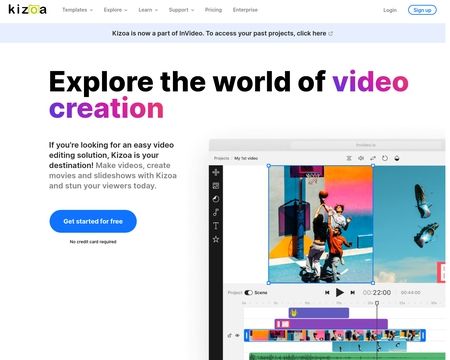
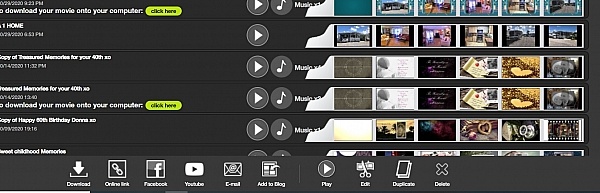
Create videos, slideshows, collages, and edit photos from the convenience of a single platform with your own account. Combine your photos, videos, music, text, effects, and more for amazing results you can't find anywhere else.


See reviews as you browse!
Get the Chrome Extension.
Add Extension
- SmartCustomer’s sole mission is to increase online transparency for buyers and businesses
- SmartCustomer has helped over 200M buyers make better purchasing decisions online
- Suspicious reviews are flagged by our algorithms, moderators, and community members
Similar businesses you may also like
See more Photo Sharing Businesses



- SmartCustomer’s sole mission is to increase online transparency for buyers and businesses
- SmartCustomer has helped over 200M buyers make better purchasing decisions online
- Suspicious reviews are flagged by our algorithms, moderators, and community members
Hi! Sorry for the confusion, we do try put our Premium membership features available on both the website and the application. There is a large orange Premium button on the top-left corner of the application which shows you what features are included in each membership. I've exceptionally gone ahead and sent you your slideshow as an MP4 file in Full HD so that you can save it to your computer ;)