

On SmartCustomer, businesses may not offer incentives or pay to remove reviews. Learn more about our Review Guidelines.

Punchbowl Reviews Summary
Punchbowl has a rating of 3.8 stars from 881 reviews, indicating that most customers are generally satisfied with their purchases. Reviewers satisfied with Punchbowl most frequently mention birthday party, guest list and customer service. Punchbowl ranks 1st among Event Planning sites.
We monitor reviews for authenticity

I truly enjoy the ease of use you find with Punchbowl when planning events. It has lots of design options and makes it easy to stay on top of ever event detail from who's coming, what they are bringing, and customize polls so you can ask fun questions and then review the poll results at your party.
The digital cards are fabulous too. It makes it easy to send a customize wish to family, friends and coworkers.
Thanks Punchbowl!
Great cards, easy to use! A wonderful service to add class to your invitation. You must find a card to suit any occasion!
Punchbowl was very helpful in orchestrating my potluck. It sent several reminders to my guests and even a reminder to me after the fact to send a thank you note to everyone for attending.
I love the selection of invitations, it was easy to set up and maintain. Sent a clear and concise message to my guests! I would definitely use again and recommend to anyone!
From sending out invites to updating guests and the delicious food they are bringing is easy! Thank you!
Every year I use Punchbowl for my most trusted family tradition and it doesn't let me down. The ease of use for me and my guests makes the process so smooth. Love being able to send announcements through the app too!
The site is easy to navigate, allows for some creativity, there are many free evite options and one can manage guest RSVPs right on the site.
Very easy to use and it made planning my event a breeze. I was very impressed by all of the cool features within the app and it kept everything streamlined during the planning process. Will definitely recommend!
I've always used Evite but recently discovered Punchbowl. Their invitations are so much more creative and appealing. I have no idea what took me so long to discover Punbowl but I will be using them from now on.
Amazing! I recommend Punchbowl to everyone when it comes to invitations that are easy to create and monitor. I utilized the potluck feature for thanksgiving and it worked out perfectly. Plus, the next day I received a reminder to send out a thank you card which was the perfect touch. Overall, the app is user friendly and has all the features you'd need.
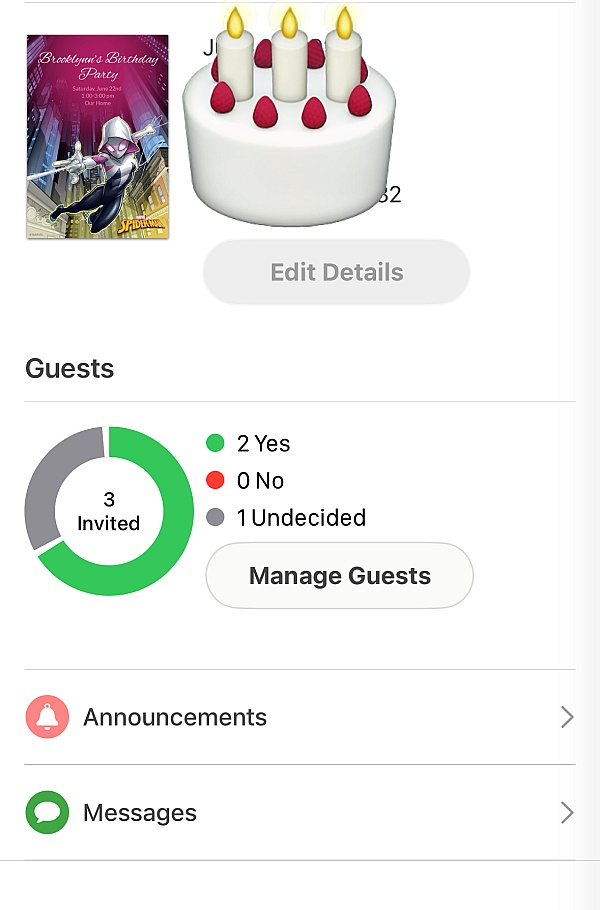
I literally use this app every time I am coordinating an event. It is very straightforward and easy to use and has great features to help you. For example, there is a potluck section that people can post what they are bringing and/or what you're needing. When invitations are sent (which you have the option to do so through e-mail or text message) it shows whether or not the invite has been seen by your guest. I've used this app many times for all occasions; Birthdays, July 4th, Halloween, Thanksgiving, Camping Trips, Christmas Dinner, etc. I'm even debating using it for my Save The Dates! I highly recommend using this to ease your mind about the stresses event planning can bring.

I loved having Punchbowl on board while planning my event. I felt like I had a personal assistant while planning the party for my son. I was able to invite all of the attendees via multiple modes of communication and they were able to accept. I was able to keep track of all attendees in one place. I also was able to send out my thank you notes to all who rsvp'd. I will use this website again for planning all of my events. I even want to upgrade to use additional features. Thank you so much Punchbowl.
Fantastic program and amazing designs! I mean, I love foxes and I have a fox/wood themed nursery. How high are the odds that I could find a fox themed invitation for my baby shower? Thank you, Punchbowl!
I love using Punchbowl for my electronic invitations! Easy peasy and they have tons of beautiful designs to pick from. I highly recommend them!
I've been using Punchbowl for 3 years and can always find amazing invitations with the movie & book characters my daughter loves (Clifford, Dora, Toy Story 4)! It's so easy, connects with your contacts so you can send the invitation via text or email, see if they've viewed it, and even manage RSVPs. Love this app and will definitely continue using it :)

I like Punchbowl. They have different varieties for your invitations. Sending the invitations out is easy being that you just text or email them out to everybody. It's great how they send you an email once a guest confirms attendance or if they aren't attending. I'd definitely recommend using Punchbowl to create and send out invitations for your next event.
Love the animated opening of the envelope. Design is clean and simple which allows all of the important information to be seen clearly! Invitations were sent easily and I could track to see who opened it... afterwards a reminder to send a Thank You was very helpful!
Punchbowl was super easy to navigate and gave me the options I needed to complete my planning tasks with guests.
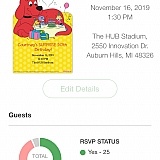
I use Punchbowl annually for office Christmas planning. It offers a wide variety of designs and allow you to have your attendees bring guests. You get an accurate count of those attending as well as the ability to set a reminder to those who replied yes. Great tool.
I love using Punchbowl for sending out invitation to parties. It's great since it keeps my guest list and I don't have to find my list every time. I love that after the party it gives me suggestion to send a thank you card and I can track who opened the cards
From the business
Punchbowl makes it easy to create and send beautiful, free online invitations and digital greeting cards from your phone, tablet or desktop.



See reviews as you browse!
Get the Chrome Extension.
Add Extension
- SmartCustomer’s sole mission is to increase online transparency for buyers and businesses
- SmartCustomer has helped over 200M buyers make better purchasing decisions online
- Suspicious reviews are flagged by our algorithms, moderators, and community members


- SmartCustomer’s sole mission is to increase online transparency for buyers and businesses
- SmartCustomer has helped over 200M buyers make better purchasing decisions online
- Suspicious reviews are flagged by our algorithms, moderators, and community members