

On SmartCustomer, businesses may not offer incentives or pay to remove reviews. Learn more about our Review Guidelines.

Punchbowl Reviews Summary
Punchbowl has a rating of 3.8 stars from 881 reviews, indicating that most customers are generally satisfied with their purchases. Reviewers satisfied with Punchbowl most frequently mention birthday party, guest list and customer service. Punchbowl ranks 1st among Event Planning sites.
We monitor reviews for authenticity

This is a fantastic website I was sent an invitation to an event via Punchbowl and I was surprised to see how lovely the invitation looked and you can easily rsvp back to the invitation and it will send you up coming reminders about the event and it was so easy to use without the hassle of buying and sending back RSVP cards.
And I have also sent Birthday Cards to family and friends and once they read the card I was sent a message to advise me that they have read the card and it also lets the person who received the card to reply back to you with a thank you this website is brilliant I have saved a fortune with by sending cards out through the website instead of buying cards and sending via post. There is also a large variety of gorgeous cards to choose from and you can write whatever you want to say on the card I really can't praise this easy to use no fuss website enough.
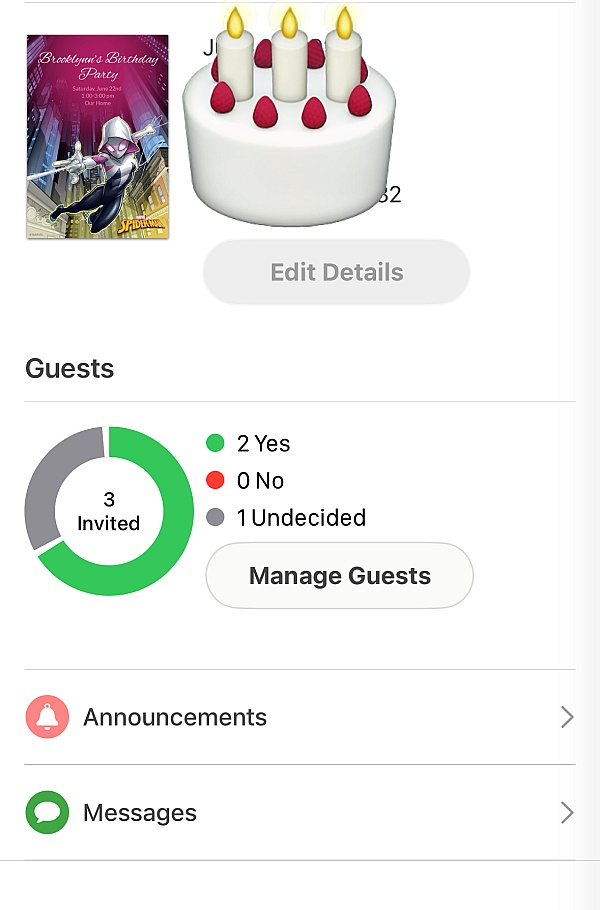
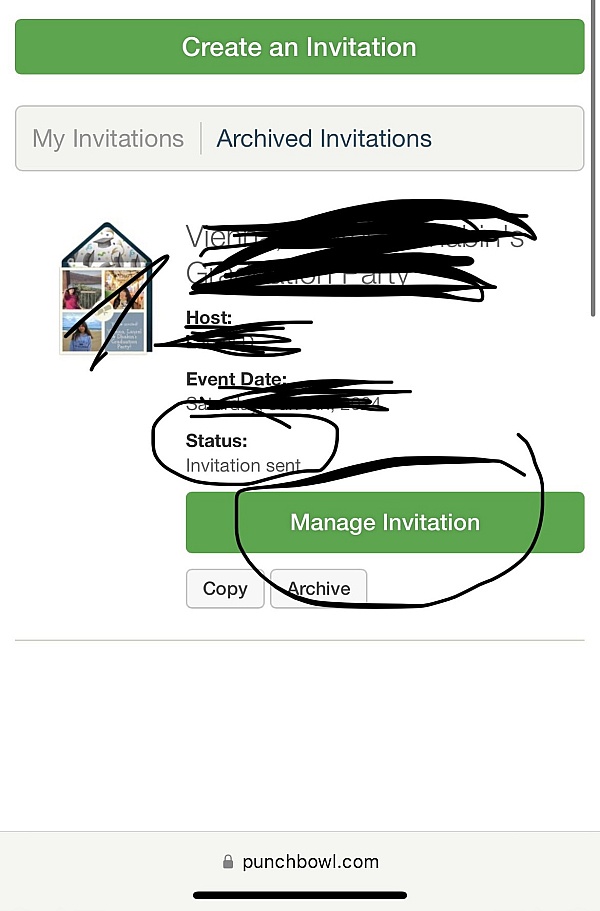
Punchbowl is very simple to use! Just follow the prompts to customize any one of their beautiful designs. I've used Punchbowl for party invites. Managing my guest list is made simple and efficient. I like that I can see which of my guests have opened their invitation and which ones may need a gentle reminder. Also, after the party I can send my guests a thank you note. How great is that!
Overall I would like to greatly thank the crew at Punchbowl as their website was excellent and aiding with my party set up for Christmas. With over 40 people it was very useful for managing the guest list and seeing who has rsvp'd was a breeze. I will definitely use their website again and highly recommend it.
The process was very easy and was nice to effortlessly communicate with an animated
Message instead of a static piece of paper.
Our Christmas Eve celebrations are a special time of year for your family and friends, old and new! I send out invites and chose Punchbowl, which provided me lovely selections that were easy to customize for our celebration. I selected the perfect invite: simple but elegant! The invite and guest list was easy for our guests and for me to manage. As a pleasant surprise, I was able to send a customized "thank you" after our event, which I really appreciated! I highly recommend Punchbowl, and will certainly use them in the future!
Everyone, including myself, love my Christmas eve celebration invitation. The software is user-friendly. The reminder about my upcoming event was super cool!
The invitation were Beautiful and everything was there at my fingertips! I highly recommend Punchbowl!
I am so glad to have discovered Punchbowl and the ease with which it allowed me to plan my family Christmas Eve gathering. What a blessing!
For 25 years I have had a Xmas Eve Party. Never has it been easier to reach out since I found Punchbowl. Never is anyone forgotten and they can be quickly added. So much more I could use the site for. Next year! 2020 is a New Year..
We have used Punchbowl for 2 years. For Christmas Parties, Picnics and Family Picnics.
Very easy and fun to use. No stamps, no paper invitations. The fun of doing our own from the great supplied from Punchbowl is easy to use. You even get to pick your on lettering.
I could go on and on. Oh, you will receive thankyou replys from you guest.
The variety of invitation designs offered on Punchbowl is really good and there are lots of free ones! The designs are very creative and the site is easy to use. You can keep track of your guest list and review the info at any time. It is a great, user- friendly site. We have used them for 2 years now and will use them again!
Punchbowl is a excellent way to send invitations to all of your friends and family without using the US Postal service, which is slow and loses mail. With Punchbowl is sent directly to either email or mobile phone. As we know everyone has a cell phone and checks their phone and email messages regularly, so why not send your invite this way. I have used Punchbowl for several everts and it worked wonderfully. I highly recommend Punchbowl.
I have used Punchbowl for five years now and love it.
Its great for holding previous invite so that makes it easy to update and send out again.
Then the reminder part useful.
It was our annual Christmas party with a plaid theme. We played games, had a contest for best dressed in plaid, we even did Christmas karaoke.
I sent out an invitation to my whole school. Everyone was raving about it. Thank you so much
This was my first doing electronics invitation. I'm not too tacky, was a good experience. I found it to be very easy to set up, every time someone responded I'd be notified with a name & head count. So I didn't have to keep going in to see. The invite guess could leave a message. Their was a place for me to leave detail info if needed.
Highly recommend!
Made party planning smooth as possible.
Cute invite templates and made RSVP easy for all guests
It was quite easy to design and manage invitations using Punchbowl. They had lovely designs too.
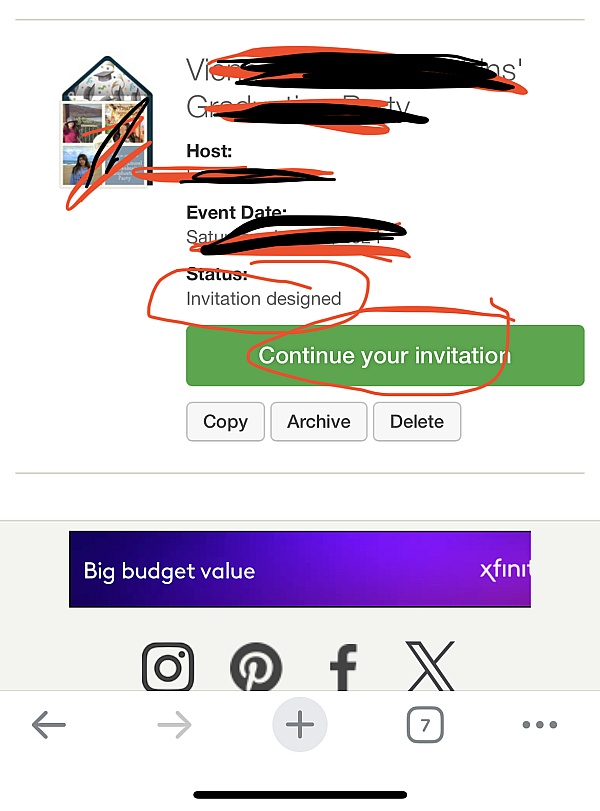
The process to set up my invitation was so simple and fast. I pick my invitation from their great selection of cards, filled in the information, added my guest list and hit send. That's all I needed to do and I didn't have to run out to the store. Thanks punchbowl!
From the business
Punchbowl makes it easy to create and send beautiful, free online invitations and digital greeting cards from your phone, tablet or desktop.


See reviews as you browse!
Get the Chrome Extension.
Add Extension
- SmartCustomer’s sole mission is to increase online transparency for buyers and businesses
- SmartCustomer has helped over 200M buyers make better purchasing decisions online
- Suspicious reviews are flagged by our algorithms, moderators, and community members




- SmartCustomer’s sole mission is to increase online transparency for buyers and businesses
- SmartCustomer has helped over 200M buyers make better purchasing decisions online
- Suspicious reviews are flagged by our algorithms, moderators, and community members