

On SmartCustomer, businesses may not offer incentives or pay to remove reviews. Learn more about our Review Guidelines.

Punchbowl Reviews Summary
Punchbowl has a rating of 3.8 stars from 881 reviews, indicating that most customers are generally satisfied with their purchases. Reviewers satisfied with Punchbowl most frequently mention birthday party, guest list and customer service. Punchbowl ranks 1st among Event Planning sites.
We monitor reviews for authenticity

From start to finish the app was user friendly. The layout options were great. Since most people do not like mass/group text messages, this was an easy way communicate with one app to multiple people.
I used Punchbowl to make invitations for my sister's surprise party and it was amazing! Quick to find what I needed, simple to navigate with awesome samples to guide you around the site and super easy to set up and send! What I really loved was that Punchbowl sent a reminder to everyone about the party a few days before AND I received an email about sending everyone a thank you note the day after(which I did!). I even got an email letting me know when the person saw the thank you note and showed me the replies as well! I can't thank you guys enough for such a wonderful website! I recommend it to everyone! The party guests were very impressed by it too and are already planning on using Punchbowl as well for their future events! Thanks again! :)
Using Punchbowl was super easy and very convenient. There were many different styles of invitations to choose from, and they all were very cute! It was so easy to create and use the app, and i really like the "remind" feature that sends a reminder for the event.
I loved how organized punchbowl kept me. Also, when I needed assistance punchbowl workers assisted me in a speedy manner. They responded and walked me through the issue. I will recommend them 100%.
I used Punchbowl recently for party invitations. Not only was it user-friendly in the initial sending, but also it was great at helping me track responses for planning purposes. The emails I received as responses came in were most helpful. The reminder it gave a few days before the event was useful for those who had forgotten to respond. I will definitely use Punchbowl again.
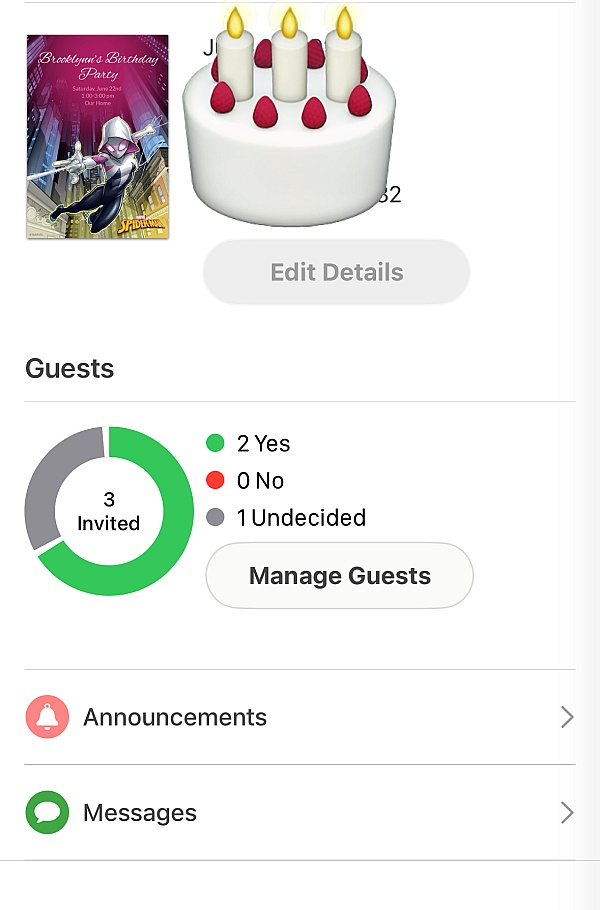
I recently used Punchbowl for my kid's double party invitation. Using the site it was so conventient for me to manage the guest and make the catering order accordingly. Also it provided the recipient who did not view the invitation so was able to personally contact them to get their RSVP. The announcement went as personal message to each of the attendees and was able to communicate last minute logistics in terms of directions of venue and time. Overall it was a great site and used the mobile app.
Punchbowl is so easy to use and it always has cute designs for free to use! I recommend this app all the time!
I used this app to invite family and friends to a Christmas Eve party. It is very user friendly and the templates helps take out the Guess work. I needed invitations to go out within a short window and this app did the trick.
We decided to use Punchbowl to send out Holiday cards this year. We found a perfect card for us and were able to send it out to over 115 email recipients, all while being kind to the environment. It was easy to add/import email addresses and the best part is that they are now stored under my contacts and I can just go to Punchbowl and send out invites, celebratory cards or thank yous when needed. I love using the "add a gift" option. So easy to send birthday, baby or shower gifts. Because I thought Punchbowl is such a great product, I purchased the upgrade and am very pleased with the added benefits. With the updated app I can now even text my evites or cards. Thank you Punchbowl staffers.
Thank you Punchbowl for the ease of sending invitations through text message. Families were responsive and it was easy to send reminders!
Easy to use and we had a large turnout. Easy to use and we had a large turnout. Great job.
Punchbowl works great and has all the features I need. I always find just the right design for my event.
Love it. It is user friendly and does not cost $800,000 to send invites?
My experience with Punchbowl invitations was perfect. I would highly recommend them if you want to do email invitations. Their selection was wide and seem to fit almost any occasion. One week before the party, they sent out reminders to all who were invited. You won't be disappointed with Punchbowl.
I have used Punchbowl on several occasions and its never let me down! Very user friendly and there are plenty of free cards that look nice!
It is just so easy to plan a party using Punchbowl. There are good choices for invitations and cards. The whole process just works and I am happy to share that information with my friends.
It's the second time in a row I've used Punchbowl - the first one being for a baby shower event and the second one is for our staff Christmas Party event. The design choices were spectacular the way the e-card program was set-up was superb! Invites looked awesome and even if we tried it for free, it never disappointed us!
Love this program. I've used it on a few occasions and it's really useful to create, notify and track for your events. Everything is done for you and I like that the App will send our notification/reminders a few days before just in case folks forget. Love it!
Thanks Punchbowl for offering great invitations with RSVPs and guest tracking. This made my holiday dinner party all the more special with one less thing to worry about!
From the business
Punchbowl makes it easy to create and send beautiful, free online invitations and digital greeting cards from your phone, tablet or desktop.



See reviews as you browse!
Get the Chrome Extension.
Add Extension
- SmartCustomer’s sole mission is to increase online transparency for buyers and businesses
- SmartCustomer has helped over 200M buyers make better purchasing decisions online
- Suspicious reviews are flagged by our algorithms, moderators, and community members


- SmartCustomer’s sole mission is to increase online transparency for buyers and businesses
- SmartCustomer has helped over 200M buyers make better purchasing decisions online
- Suspicious reviews are flagged by our algorithms, moderators, and community members