

On SmartCustomer, businesses may not offer incentives or pay to remove reviews. Learn more about our Review Guidelines.

PDFfiller Reviews Summary
PDFfiller has a rating of 3.9 stars from 5,082 reviews, indicating that most customers are generally satisfied with their purchases. Reviewers satisfied with PDFfiller most frequently mention customer service, small business and good experience. PDFfiller ranks 1st among Business Documents sites.
Instant Feedback
We monitor reviews for authenticity
Great and easy for business.
Everything goes well until it is time to print out or save to your computer. Then I am having problems finding the papers!
I have found it easy to use which is the best feature such a program can have.
Very useful.
It's easy to use, a plus. But when I signed up for the personal membership, when I imported a document to edit it, and tried to erase part of it, PDFfiller hit me up for additional purchase because that feature was extra. That was cheesy. To me, it was bait and switch. I reluctantly upgraded to get what I need to done.
It was easy to use and very handy.
I love it
Still learning but o k
It's great! Only problem I had was trying to erase a hi-lited area I accidentally added. The software wanted me to pay for an upgrade for the eraser which I think is ridiculous guys. Other than that, awesome.
Extremely easy to use, easy to navigate and includes all the necessary tools to hand including signature. I highly recommend this software which is ideally suited for personal use, small business or corporate with highly competitive rates.
The 3rd party was kind enough to email and offer a refund. But when I copied and pasted the email address to respond, it was invalid. This has been a really lame experience.
Not sure how to do electronic signature with certificates.
I have been a short time user. I downloaded a document; tried to then sign it, which was ok, but when I downloaded it did not pick up the entire form; all preprinted matter on the form did not download to the email I sent.
Tom
I am not that computer savvy, but this has been pretty easy to do and follow.
I have never wrote a bad review in my life, I am absolutely outraged with this so called 'company' first I sign up for a $6 one time use for PDF filler and it charges me $99. Then I try to send the PDF file to an email in my Hotmail list and it says it has sent and my contact has not even received the email. After trying over and over again still nothing. Would appreciate my $93 back and a service that actually works. Thanks
Works as expected
Initially the software did not allow me to transform document to pdf. Contact customer support and eventually the software work as instructed. Last the pdf filler content page will not allow the user to rotate the document to the correct form. The document had to be rescan to the proper orientation prior to changing out the format.
Very helpful and pretty easy to use. Have had few issues like changing file names but good for the cost.
I absolutely love PDFfiller
Well i keept having to upgrade i guess AND from my understanding it seems to be a 50 thing at tge least. And i had such a problem with getting the WATERMARK off ALL my pages THAT WHEN I did get ahold of support they made it sound easy, but i still dont know how i did finally get it to stop!
Very useful and nice to have
Makes filling in documents very easy.
From the business
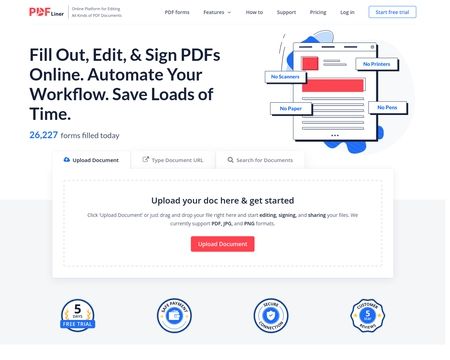
pdfFiller is a cloud-based platform with a comprehensive digital toolkit that makes handling PDFs easy. Edit, sign, store, manage, and collaborate on documents all in one place — no downloads, switching apps, or paying for multiple subscriptions needed. All your documents are safely stored in the cloud, so you can access them anytime, anywhere, without worrying about losing your data.






See reviews as you browse!
Get the Chrome Extension.
Add Extension
- SmartCustomer’s sole mission is to increase online transparency for buyers and businesses
- SmartCustomer has helped over 200M buyers make better purchasing decisions online
- Suspicious reviews are flagged by our algorithms, moderators, and community members




- SmartCustomer’s sole mission is to increase online transparency for buyers and businesses
- SmartCustomer has helped over 200M buyers make better purchasing decisions online
- Suspicious reviews are flagged by our algorithms, moderators, and community members