
On SmartCustomer, businesses may not offer incentives or pay to remove reviews. Learn more about our Review Guidelines.

Kizoa Reviews Summary
Kizoa has a rating of 3.5 stars from 990 reviews, indicating that most customers are generally satisfied with their purchases. Reviewers satisfied with Kizoa most frequently mention customer service, slide show and good work. Kizoa ranks 1st among Photo Sharing sites.
We monitor reviews for authenticity

For the most part it's very easy to use. User friendly. Any one can insert photos and music to make an excellent video. Plus it's easy to add animation.
I searched quite a bit for a web based movie maker and was about to settle on YouTube's Video Editor as my only option. I'm so glad I found Kizoa. I now use both YouTube's and Kizoa's editors for the various home movies that I shoot on my Smart phone. Kizoa has features that YouTube's editor doesn't have and allows me to be creative with my editing.

I have used Kizoa now for my company video, over all its not bad however I believe that there could be some changes to the saving process. If your looking for professional videos then yes I would recommend Kizo.
The site is awesome, once you figure out how it works. Only drawback is how they are always pushing to upgrade their platform.

There are certainly some things that would improve this program (here not all, but some):
- possibility to change the music in the middle of a film
- the "contours" of all of the photos is visible in the next frame
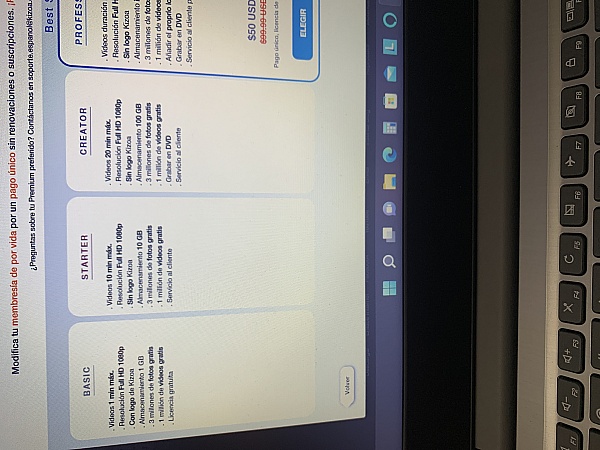
- looks cheap, but when working with it you have to upgrade and in the end it's expensive...
I tried using other programs and wasn't happy. The second I used Kizoa I found it very easy to make the picture & music slideshows I had been wanting to make. I love that you can easily add your own music to the slideshow and it lets you know where to add a new song, making it very easy to add multiple songs to your creation. You can easily edit your slides and add fun features to them while knowing where in the song the slides land. This makes it easy for perfectionists to have specific photos line up just right with the songs! I am very glad I purchased the premium package.
Con:
I only wish that while you were working on your slideshow that it would let you know, in your photo library, which photos you have used in your slideshow so you don't accidentally use a photo multiple times. The company could easily update this by putting a check mark on the photo or something. It just can get confusing when adding numerous photos. Otherwise, overall I am happy with this program and really love making slideshows.
Has lots of easy and time saving effects that is very good for my business.
It usually takes me hour to get those picture effects, but now I just load the pictures and do something else until I get the finished product

For years I used a online program for my slideshows for school. This year I had a ton of difficulty with it, so went online to find something and that is when I found Kizoa. After a few tutorials it was pretty easy to put together a slide show for our first grade program. The parents and the kids loved it. I then made a year end slideshow for our entire school which was a huge hit! Finally my youngest daughter graduated and I made a slide show for her graduation party! It was a great memory that I have shared with all our family. I am excited to continue with this program for next school years performances as well as family events.
Being able to pick up the phone when you have a question and actually speak to someone in English is a very convenient advantage. Though I am still trying to figure out why my animation on Facebook continues to loop (replay over and over), the support team has been accommodating.
1. To add in photo editing option crop flexibility to mark the frame on the picture.
2. When using video and pictures in the same collage - the system does't play the audio part or it is on mute with no option to turn on. Please fix this option.

Hi Yael, thank you for your review. Your recommendations have been sent to our tech team to consider adding them when we update our platform later this year. Thank you again and have a great day!
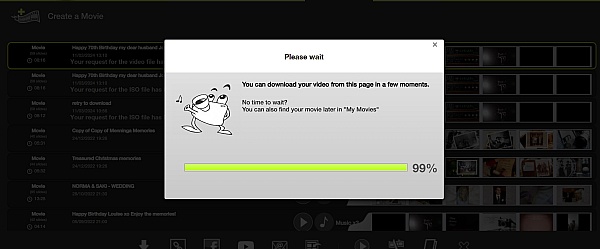
Trial use was promising, but once I paid I was still unable to edit the file size I needed to work with
Hi Julia, thank you for your review. Can you please contact us at [email protected] so we can further assit you with editing your movie to get it to the file size you need? We would be more than happy to assist you with trying to make your movies as compatible as possible for what you need to use them for. Thank you again if your review and have a great day!
I found the customer service rep very responsive and professional in answering my questions prior to purchase. I received an overabundance of promotions to upgrade my services after purchase of what I wanted. I found it easy to learn and create slideshows and videos. It has many capabilities which I've not tried, yet. I'd like to see the capability to set the slideshow timing to automatically end the show on the last note like Windows DVD Maker used to do. It's not hard to work around because I can still adjust individual slide times to make this happen. I like Kizoa and have recommended it to several other people.
I wish there were more templates and graphics, frames, etc to add to the videos. I enjoy it though.
I find this application difficult to use. I was hoping this would replace the lost online app Slide.com, but it doesn't.
Hi Ava, thank you for your review. If you have any questions or experience any difficulties, you can contact us between 8am and 8pm EST Monday to Sunday and any of our customer service representatives would be happy to assit you. You can also check out some of our YouTube tutorials by searching "Kizoa" on YouTube and clicking on our channel. These may be able to answer some questions you may have. Feel free to contact us at [email protected] or by calling us at (844)898-4403 if you have any questions. Have a great day!
I found that people involved do not really listen to the problem at hand.
Answer given not pertaining to the problem.
Hi Claude, thank you for your review and we apologize if our customer support staff did not fix the problem you were encountering. If you'd like you can contact us again either by email at [email protected] or by calling (844)898-4403 with the problem you have and we'll do our absolute best to assist you. We'd be curious if you could also let us know what the problem was concerning so we can send it off to our technical team to have a look. Feel free to contact us if you do have any questions and have a great day!
I searched for a long time but decided on using Kizoa. Totally impressed with the results. Amazing videos and instant upload to youtube. Nothing complex not like some software which has you scratching your head. Easy to upload and edit. A 10/10 experience.
I'm still learning but I've been so amazed with how much stuff you can do with Kizoa! As a writer, I'm loving creating videos that bring my written words to life!
Great service. Great customer service.
But my issues with quality of uploads and pictures has never been resolved.
I have professional-grade high-res, screen-optimized images that never look as good once I upload them to Kizoa. So, I love the product, but may still go somewhere else.
I have breen playing around with making my photos into movies more recently than ever and now can create much more easily as a non-techy... I only wish there was more music to choose from and I wish the music menu would tell you the length without having to play as sometimes I would rather look at the length to match the movie I'm creating. I also wish it would tell me what music I picked so I can modify more easily. But it's very fun.

From the business
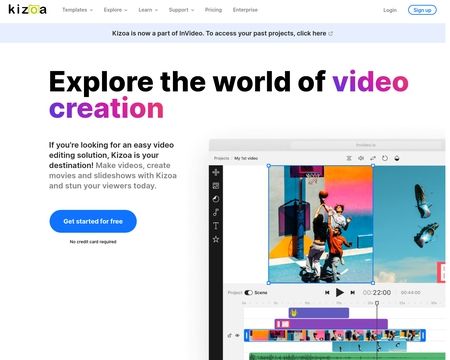
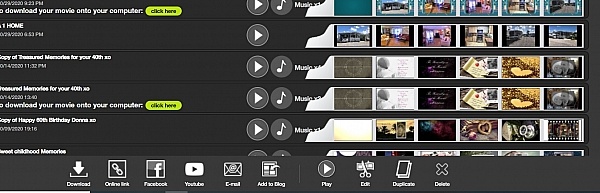
Create videos, slideshows, collages, and edit photos from the convenience of a single platform with your own account. Combine your photos, videos, music, text, effects, and more for amazing results you can't find anywhere else.


See reviews as you browse!
Get the Chrome Extension.
Add Extension
- SmartCustomer’s sole mission is to increase online transparency for buyers and businesses
- SmartCustomer has helped over 200M buyers make better purchasing decisions online
- Suspicious reviews are flagged by our algorithms, moderators, and community members
Similar businesses you may also like
See more Photo Sharing Businesses



- SmartCustomer’s sole mission is to increase online transparency for buyers and businesses
- SmartCustomer has helped over 200M buyers make better purchasing decisions online
- Suspicious reviews are flagged by our algorithms, moderators, and community members
Hi Bea, thank you for your review. Can you please email us at [email protected] so we can take a look at your movie to see why you can't change the music in the middle of your movie. You can change the music in the middle of a movie with Kizoa. We'd also like to help you resolve the issue with the "contours" you mentioned. We would need some more information regarding this problem but this should be able to fixed. Don't hesitate to contact us and thank you again for your review.