
On SmartCustomer, businesses may not offer incentives or pay to remove reviews. Learn more about our Review Guidelines.

Kizoa Reviews Summary
Kizoa has a rating of 3.5 stars from 990 reviews, indicating that most customers are generally satisfied with their purchases. Reviewers satisfied with Kizoa most frequently mention customer service, slide show and good work. Kizoa ranks 1st among Photo Sharing sites.
We monitor reviews for authenticity

I've used Kizoa several time to make photo collages. Slideshows, special occasions cards of my granddaughters to share with my family and friends. Fairly easy to use. Great selection of templates for your use or create your own. Love that you can download high quality copies of your creations to your home computer, as well as, post them to Facebook, Twitter, etc
I do daycare and have made a slide show for each of my children in care for Christmas. The slide show was comprised of the years activitys. Parents thought it was the best memorable present they ever received for their children. I thought so to. I will be doing this every year for them. Thanks again Kizoa.
I embed slideshows into many websites as part of my work. Easy to use, saves me lots of time.
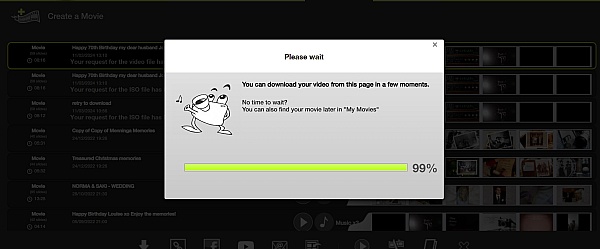
Didn't like how we needed to download the Kizoa player. Movie processing took far too long. Not user friendly. Very glitchy. Not able to easily upload to social media platforms. Good for basic slideshows. Not good for businesses or large slideshows. International technical and customer support. Language barrier. Not worth the investment.
Kizoa is the best video editing program I saw in my life. I love the support from this company and all the activities you can do it with this program. I really recommend Kizoa. I love Kizoa!
Since I started using Kizoa, I have enjoyed every step of the video and collage process. Timely downloads delivered to me are perfect! I always get updates to when Kizoa incorporates new music themes and template designs.
Had some problems when downloading with screen frames staying in sync with music - but graphics are great

I have some great news! We actually just integrated a new feature regarding synchronising music to your slideshows that has just gone live this morning! You'll now see that on the music bar that appears underneath your slideshow when you add music to it, there are indicators that show you at which point in the slideshow the song is repeating so you now where it ends and on which slide you can add you next song. Give it a try and let me know what you think of it or if you have any suggestions for improvement :)
I love Kizoa. The format is easy to use and if you do happen to get stuck on anything the people are very friendly to help you.
I really enjoy all the ways to make great slide shows. They always look great and sound great when you add music. Being able to create slide shows on a tablet would be the icing on the cake and something that if be willing to pay extra for.
Great to hear that you want to use Kizoa on your tablet because as a matter of fact our engineers are working on a Kizoa app specifically designed for Apple/Android phones and tablets =) Stay tuned, we'll likely introduce it soon this year
Kizoa has all the tools you need to make the best photo slide shows. I use it every year to make slide show videos for my daughter's birthday. Our family and friends love the videos, and some cry due to being overwhelmed with happiness.
I am an annual subscriber due to the results that I mentioned above. However, this program is far from perfect. After you submit the photos that you want in the show the program generates the show for you after you complete the steps of the wizard. After the wizard does it's thing is where things become difficult because you are going to need to do some editing. Nothing about the editing process is fast or easy. I normally spend between 16 and 32 hours editing the slideshow, and the process could be much quicker if the developers had implemented more user friendly editing tools.
Thanks for your review Brian! I've heard what you have to say and we also agree that the slideshow editing process can be improved. We actually just had a meeting yesterday regarding this and our engineers are going to get started on optimising the process of adding extra photos to a slideshow that uses a template so it'll be much easier and quicker.
I have used Kizoa for a couple of years now. I think it is an excellent and easy way to produce nice slideshows.
I use Kizoa almost daily in conjunction with a blog I maintain. The scope of possibilities for creating collages and videos is almost endless.
If I had one suggestion, it would be to add a larger selection of holiday, seasonal and decorative symbols/clipart to add to the already existing collection.
Hi Sylvia, thank you for your suggestion! We will add more elements with holiday/seasonal themes :)
Although Kizoa is very easy to use, I was trying to put in many video clips into a template slide show, and I was very pleased to get a real person sending me a reply email. Not just an automated response to check the library of common Q&A. I have Pro membership and highly recommend it!
Kizoa is great for sharing photos with family and friends who are far away. It enables me to share experiences and holidays without sending large files.

Very easy to upload photos, using the templates for me is the way to go to get prearranged photoshows that are enciting and uses little time to coordinate. I make " Trips Down Memory Lane" often for my children and grand-children, they love them.
Creatively crafted products that helps etch memories forever. Astounding quality.
From the business
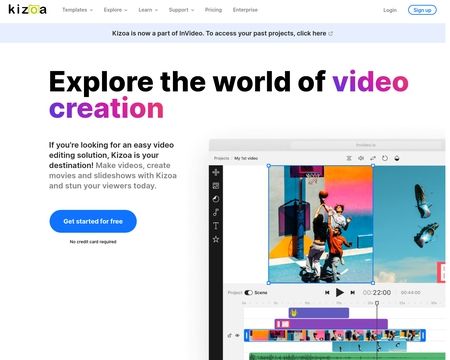
Create videos, slideshows, collages, and edit photos from the convenience of a single platform with your own account. Combine your photos, videos, music, text, effects, and more for amazing results you can't find anywhere else.


See reviews as you browse!
Get the Chrome Extension.
Add Extension
- SmartCustomer’s sole mission is to increase online transparency for buyers and businesses
- SmartCustomer has helped over 200M buyers make better purchasing decisions online
- Suspicious reviews are flagged by our algorithms, moderators, and community members
Similar businesses you may also like
See more Photo Sharing Businesses





- SmartCustomer’s sole mission is to increase online transparency for buyers and businesses
- SmartCustomer has helped over 200M buyers make better purchasing decisions online
- Suspicious reviews are flagged by our algorithms, moderators, and community members
I'm sorry to hear about the issues you've encountered! Please send me an email at [email protected] so that I can help sort out these issues for you. I can activate an option for you so that you can download your slideshows and get DVD files of your slideshows without having to use the KizoPlayer if you prefer. Get in touch with me and I'll do my best to find some solutions for you!