
On SmartCustomer, businesses may not offer incentives or pay to remove reviews. Learn more about our Review Guidelines.

ProperSoft Reviews Summary
ProperSoft has a rating of 4.2 stars from 152 reviews, indicating that most customers are generally satisfied with their purchases. Reviewers satisfied with ProperSoft most frequently mention customer service, credit card and bank statements. ProperSoft ranks 2nd among Accounting Software sites.
We monitor reviews for authenticity

I had several years worth of investing transactions that wouldn't automatically download into Quicken. I manually stitched all the. Csv files together, and then used ProperConvert to generate a QIF file that Quicken could import. I still had to do some manipulation of the source. Csv file (e.g. To include the fund names as they appear in Quicken), but ProperConvert was a huge time saver and totally worth the price.

Why didn't I find you before?! You saved me a ton of time! The program converts different types of files into the format I need very quickly. I highly recommend this company.

Fast and efficient program. The support team also respond relatively quickly to queries. Some issues: Some bank statement formats from Capitec, ABSA and Standard Bank do not always convert correctly. Some Standard Bank statements - it get the debit and credit amounts converted opposite - Takes the bank charge amount instead of the credit amount Capitec Business - Doesn't pick up all the line items

I surveyed several other products to translate my bank off to input in quicken this one was the only one that worked proper and without hassle, and it can join multiple files in one output

Thank you for your review, Cassio!

Man this thing is a lifesaver bc fidelity 401k stopped providing detailed info downloads. This read my statements and generated the file i needed. Wonderful and thank you!
Thank you for your review, Victor!

This software did exactly what I needed with converting bank files into Quicken readable files. I found it easy to navigate and understand.

Thank you for your review, Chloe!

I don't think I would have ever been able to reconcile the last 10 years of my financial portfolio. I fell behind reconciling 14 cash and investment accounts over the last 10 years. I no longer had electronic OFX access to historical account transactions, but I had 10 years worth of PDF statement files. Entering these statements into Quicken manually would have taken months if not a year. I found ProperConvert with a Google search and I gave it a try. I was amazed. This utility is nothing short of magic. I was able to bulk convert years of PDF statements by multiselecting years of PDF statements and then proofing the results in ProperConvert before automatically importing them into Quicken. Thanks ProperSoft!
Thank you for your review, Robert!

I am so thrilled to have come across this software that was a huge life saver to me. I needed to catch years of accounting for a client and this was just a simple as it gets process. I highly recommend anyone that needs to enter multiple transactions to give this software a try!

There isn't a better company then ProperSoft to do business with ProperSoft is a family owned business that creates software for importing transaction into Microsoft Money, Quick Books, and Quicken. I've been doing business with Sergiy the owner. And creator of this software since January 31,2011 when Microsoft discontinued Microsoft Money. If it weren't for his software I wouldn't be able to keep my accounts updated. I highly recommend ProperSoft!

This ProperSoft ProperConvert software is amazing. It has saved me so much time when I needed to convert bank statement pdf transactions to Excel to use to load into Quickbooks accounting software. My secret weapon is exposed. Thanks for creating this software.
Thank you for your review, Sandra!

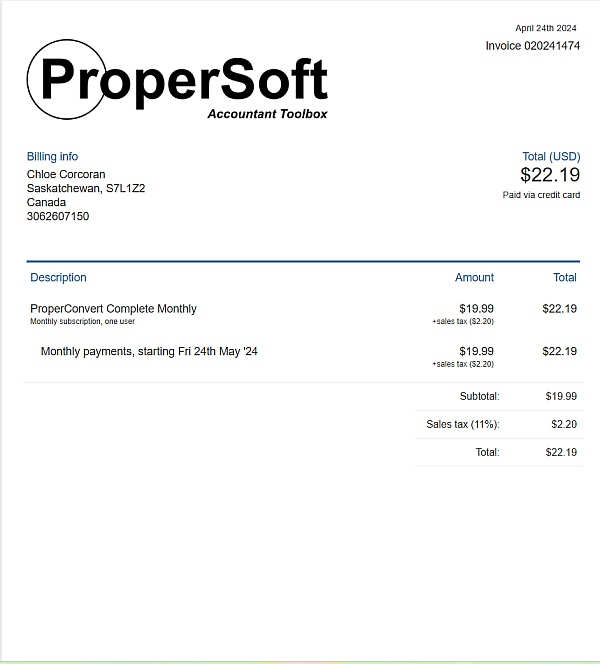
Our bank saves transaction for downloading to Quickbooks for about 6 months. When I realized my partner wasn't reconciling, I embarked on "accounting archeology" to get our books in order. I found ProperSoft which could take PDF statements and translate to QBO transactions that I could import. This saved me many stupefying hours, which I was dreading. Grateful for this tool. I didn't need it indefinitely, just for this one activity, so I rented it for a month, got the job done, and that was it.
Really like this tool. Thanks!

No longer works well with ANY bank statements. It imports items NOT EVEN IN THE STATEMENTS! AND doesn't import other regular transactions. It does the same with other standard bank statements. WHAT HAVE YOU DONE TO YOUR SOFTWARE?! It used to work so well! Won't be using it or recommending it to CPAs and other bookkeeping entities. Using your software now is more time consuming than manual entry.
Hello Betty, thank you for your review. For specific parsing issues, please contact support at [email protected]

Totally satisfied with the Propersoft Transactions product. The purchase was well worth it: It converts bank checking accounts and credit card accounts' statements to iif. Files that import very easily into QuickBooks desktop (in QBks, select File, Utilities, Import). This avoids having to buy new versions of QuickBooks, just to be able to download from the banks.
I also liked the interaction with the Propersoft people on the phone.

Thank you for your review!

Really simplifies all the work processes. We struggled to put all our transitions into our accounting app and had to put everything manually. It took ages for us to put all the data in our system. But this app simplifies everything for us, and it reads all formats.
Thank you for your review, Scottie!

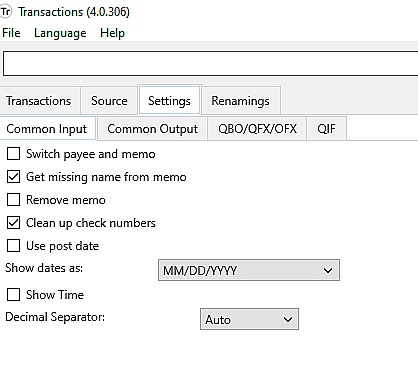
It works SO well. For some reason, my old MS Money program will not deal with the. Ofx and qfx files provided by MBNA MC online but if I dl the. Csv and use Propersoft Transactions, I just browse to the. Csv, click "convert" and then move on to the next statement. Brilliant, perfect, easy solution.
Thank you for your review, Edie!

I used Transactions to convert PDF bank statements into QFX to use in Quicken. It worked and saved me from having to enter all my transactions manually. What a relief!
It took a little bit of fiddling around to get things just right because this kind of stuff is not my area of expertise.
What really impressed me was the prompt personal support I got from Sergiy. He helped me figure things out and clearly wanted to make sure it worked for me. If I need to do convert transactions in the future I will use Transactions.
Steven C - Toronto
Thank you for your review, Steven!

Having used ProperSoft products for over five years, I can tell you that they excel in great software and friendly customer service. Their products have saved me countless hours of rote transaction input. And, whenever I have had a question - or didn't understand how a product worked with my apps, they answered promptly with genuine concern for getting my issue resolved. As a family run business, I applaud them on creating unique products that are backed by excellent customer care.
Thank you for your review, David!

So many banks and credit cards QBO files don't upload all of the transactions and make the process much longer than it needs to me. With Propersoft, I can ensure all of my transactions are in CSV before converting it to a QBO file. I got this thinking, if it was helpful once it would be worth it, now I can't imagine working without it.

Thank you for your review, Victoria!

Great Program to keep your 2005 to 2019 Quicken, Quickbooks program updated indefinitely. ProperSoft allows you to convert the banking download information and PDF banking statements from any year and convert into a format that can be imported into Quicken, Quickbooks. Intuit is a 7 billion dollar company and their business model is to force people to update the program every year. I have been using Propersoft since 2012 and have saved thousands of hours of manually importing the information one line at a time into my Quicken 2008 program. I will never update my Quicken 2008 program. For PDF Bank Statements you can link to Bank2QBO at https://www.propersoft.net/products/bank2qbo
Thank you for your review, Aristotle!

The support from ProperSoft has been brilliant each time I've contacted them, not concerning the performance of their software which is excellent, but over settings, codes etc. It's 2nd to none. Would highly recommend them.
Thank you for your review, Stephen!
From the business
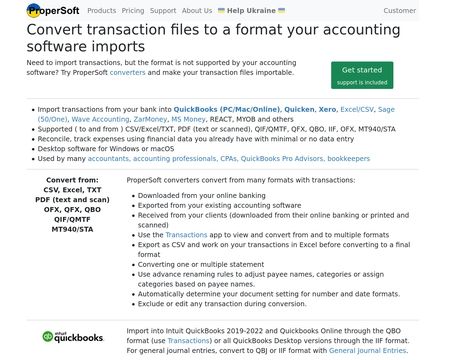
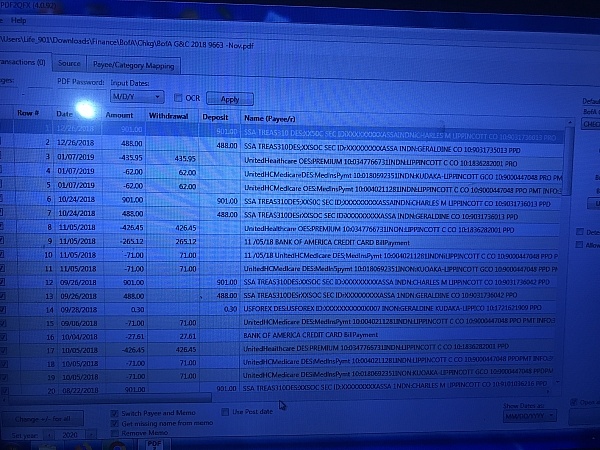
Convert transactions from one format to another and import into accounting software. For example, convert CSV to QBO, or PDF to QBO or Excel to QFX, or OFX to CSV. Make your transactions importable into Quickbooks, Quicken, MS Money, Xero, Sage One and others.

See reviews as you browse!
Get the Chrome Extension.
Add Extension
- SmartCustomer’s sole mission is to increase online transparency for buyers and businesses
- SmartCustomer has helped over 200M buyers make better purchasing decisions online
- Suspicious reviews are flagged by our algorithms, moderators, and community members

- SmartCustomer’s sole mission is to increase online transparency for buyers and businesses
- SmartCustomer has helped over 200M buyers make better purchasing decisions online
- Suspicious reviews are flagged by our algorithms, moderators, and community members
SmartCustomer for Business
Gain trust and grow your business with customer reviews.
Claim your free account
Thank you for your review, Aaron!